Hardware-Backed AES-256
Vault files and your private vault index are locked with hardware-bound encryption keys — never stored as readable files or exposed to gallery scans.
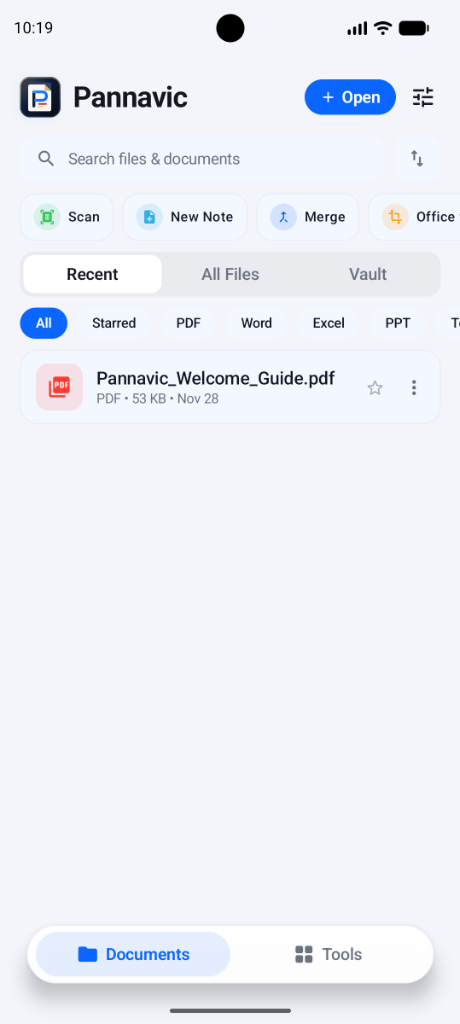
Open PDFs, Word, Excel, PowerPoint, scans, and encrypted vault secrets inside one strictly offline Android studio. Built with hardware-backed encryption, Decoy Vault PIN, Tamper Shield, and 3-pass shredding so your private documents stay completely protected.
Full-device app security engineered to protect against storage inspection, backups, shoulder-surfing, tampering, and physical coercion.
Vault files and your private vault index are locked with hardware-bound encryption keys — never stored as readable files or exposed to gallery scans.
Vault PINs are protected with 100,000-round key stretching and automatic brute-force lockout after 5 failed guesses.
Under coercion, entering your optional secondary Decoy PIN silently opens an empty or harmless alternate directory with zero evidence of your real vault.
Built-in runtime protection detects tampering or unauthorized access attempts and automatically locks access to your Private Vault.
Temporary decrypted previews are purged automatically on inactivity (On Leave / 30s / 1m / 5m) or back-press and overwritten in 3 passes before removal.
Blocks screenshots, screen recorders, and recents previews; disables cloud and cable backups so vault data never leaves your phone.
From strict government portal limits to academic dark-slide printouts — every tool works instantly offline.
Automatically binary-searches downscaling and JPEG quality passes offline so PDFs and photos land cleanly just under strict exam, scholarship, KYC, or college upload caps without turning text blurry.
Smart pixel filter flips black coaching slides to clean white paper backgrounds or Eco-Greyscale before printing.
Guided 85.6:54 ISO card alignment captures Front & Back and lays both centered on one clean A4 sheet.
Unlike cheap PDF editors where black boxes still expose copy-pasteable text underneath, Pannavic raster-destroys redacted pixels permanently.
Crisp vector zoom tiles, E-Book Reflow, Thumbnail Grid, Horizontal Swipe, multi-page Batch Stamping, and hands-free Android Read Aloud.
Documents in your vault stay encrypted with hardware-backed protection and hidden from your gallery. Configure an optional Decoy PIN to reveal a completely harmless alternate vault under duress, enable inactivity auto-lock, and scrub hidden document metadata before sharing.
Test the compression calculator and Print-Saver slide inverter right in your browser.
Preview ink savings before sending lecture slides to print.
Slide to pick a portal upload limit (example: 3.2 MB scan).
| Capability | Pannavic v3.0.0 | Typical Free PDF Apps | Online Compressor Sites |
|---|---|---|---|
| Android Internet Permission | Removed (Air-Gapped) | Full Network + Ad SDKs | Uploads File to Server |
| Ads, Paywalls & Watermarks | Zero | Popups & Subscriptions | Daily Caps & Tracking |
| Exact < 200 KB Target Compression | Built-In Binary Search | Guesswork Sliders | Cloud Processing Only |
| 2-Side ID Card → A4 PDF | Guided Live Alignment | Paid Pro Tier | Risky for Aadhaar / PAN |
| True Pixel-Flattened Redaction | Permanent Raster Removal | Box Over Selectable Text | Requires Upload |
| AES-256 Vault + Decoy PIN | Hardware + PIN Lock | None or Basic App PIN | N/A |
Get the full offline Android app directly here ahead of our Google Play Store release next year.
For Android phones & tablets • 40.7 MB • 100% offline, no ads, no account required.
Added native offline engine, Print-Saver PDF inverter, Target-KB compression, 2-side ID Card mode, pixel-flattened redaction, Decoy Vault PIN, Reflow, Offline TTS, and clean bottom-sheet menus.
Added offline DOCX/XLSX/PPTX viewers, vector zoom tile rendering, signatures, and encrypted Private Vault.
Zero-internet Android PDF viewer, scanner, merge, split, and on-device ML Kit OCR.
Real testing notes driving polish before our Google Play Store release.
Spending 6 months with direct beta testers helps refine performance across dozens of Android phones, tune target-size compression presets, and polish UI flows thoroughly before public Play Store launch next year.
Inside Pannavic, open Settings → Air-Gap Security Active to check the live offline status directly on your device.
Pannavic contains zero WebViews and zero network permissions. Any external documentation or review links hand off strictly to your phone's default browser via Intent.ACTION_VIEW.
Entering the alternate PIN silently unlocks an isolated decoy storage directory containing only harmless files, leaving zero indication of your main encrypted Private Vault.
Linked directly from Pannavic App Settings • Effective 2026
Zero Data Collection: Pannavic collects no analytics, no advertising IDs, no telemetry, and requires zero accounts. All PDF rendering, OCR, compression, signing, and encryption happen exclusively on-device.
Air-Gap Privacy: Internet and network permissions are completely removed, and cloud or device-transfer backups are disabled.
Local Permissions Only: Storage access is requested solely to open and save documents you select; Camera access is requested solely when scanning pages or ID cards inside the scanner.
Companion Website: This Cloudflare Pages companion site uses zero ad scripts, zero third-party analytics, and zero tracking cookies.
com.tom-roush:pdfbox-android) — Apache License 2.0, based on Apache PDFBox.